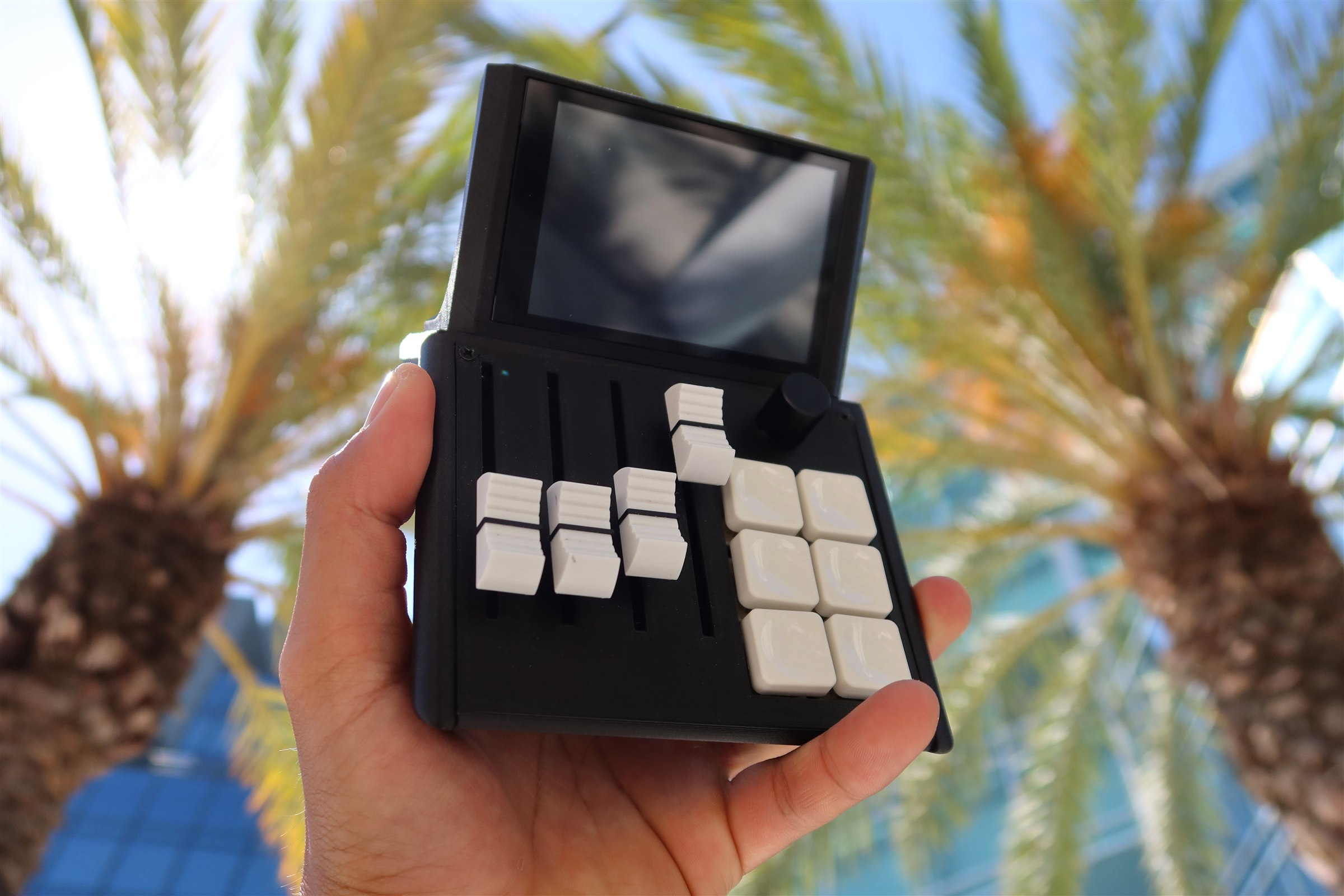
Mixlar One
The desktop app for your Mixlar M1X. Route audio, fire macros, install plugins, and push live widgets to your device — all from one app.
Download for Windows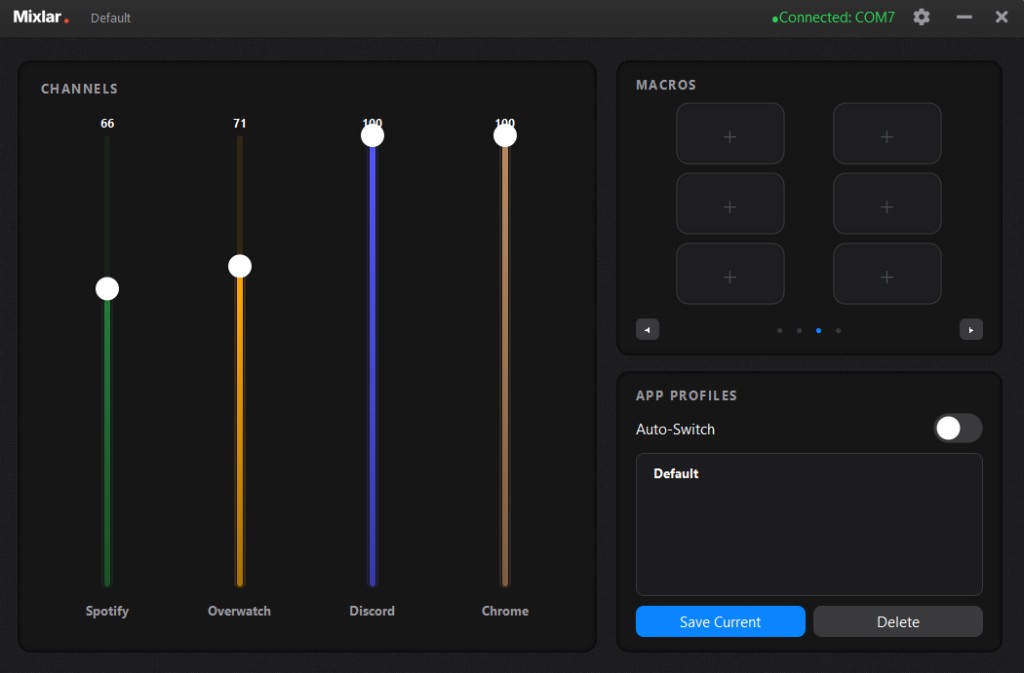
Everything you need
One app, four pillars — built around how you actually work.
Mix anything
Per-app audio, system volume, mic, MIDI CC — even Discord channels and Home Assistant devices, all on physical sliders.
Build any macro
14 step types — keyboard, mouse, OBS, Spotify, Discord, Home Assistant — chained with conditional logic.
Plugin marketplace
One-click installs for Photoshop, Premiere, Zoom, Govee, OBS and more. Signature-verified, sandboxed.
Live screen widgets
Push weather, system stats, Spotify, 3D printer telemetry, and smart home tiles to your M1X's display.
System requirements
Version archive
Need an older build? Grab any prior version below.
V5.0 pre-release consumer build Glass UI refresh across the app Plugin marketplace with verified publishers and Discover Live device widgets (14-widget Widget Pack) Per-app audio routing + 14 macro step types Stability: serial link governor, watchdog hardening
Download v5.0.0Spotify Album-art background color now follows the cover's dominant color, so the Spotify screen complements and flows with the artwork instead of latching onto a small bright accent Tuned background brightness so vivid covers read as colour without washing out on the device Faster track skips — album art and colours load noticeably sooner by fetching them ahead of the secondary "next song" / shuffle / repeat data Lighter-weight colour extraction (single pass on a smaller thumbnail) for less CPU per track change
Download v1.4.1Changelog v1.4.0 Spotify Lyrics New karaoke-style lyrics ribbon on the Spotify page — words light up in sync with the track Powered by LRCLib with a smart query and search fallback for better match rates Toggle lyrics on/off from the Spotify library page Lyrics only fetch and stream when the toggle is on (saves bandwidth) 1Hz sync with per-word reveal for smoother playback Reliability Hardened first-boot slider calibration so sliders behave correctly straight out of the box Smarter auto-resync groundwork for more reliable Spotify state on the device Various fixes around Spotify track changes and art delivery
Download v1.4.0UI Updates
Download v1.3.0Features Printer settings are now saved per-type — switching between OctoPrint, Moonraker, Bambu Lab, and FlashForge preserves each type's host and credentials Forget button now only clears the currently selected printer type, not all printers Existing printer settings are automatically migrated to per-type keys on first launch UI Increased printer dialog height to prevent fields from being cut off (420px → 520px) Website Added 3D Printer setup guide to the Connect page with tabbed instructions for OctoPrint, Moonraker/Klipper, Bambu Lab, and FlashForge
Download v1.2.6UI Redesigned widget category tabs as a single-row button bar that fills the full width (no more wrapping or scrolling)
Download v1.2.5Security — PC Software Validated software update download URLs to only allow trusted domains Added URL scheme validation to API call and open_url macros Added path existence check for open_app macros Added HTTPS warning for Home Assistant connections Added OAuth state parameter to Spotify login flow Added wss:// support for OBS WebSocket secure connections Macro execution failures now logged instead of silently swallowed https://github.com/DeejMixer/MixlarControl/commits/1.2.4
Download v1.2.4Bug Fixes - Fixed ghost window bug where a second "Not Responding" instance could appear when interacting with mixer widgets - Fixed cmd window flashing on network, stats, and system widgets - Added single-instance protection — only one copy of Mixlar Control can run at a time Security - Improved subprocess handling - Moved sensitive credentials to Windows Credential Manager - Switched geolocation API to HTTPS - Input sanitization improvements
Download v1.2.1Welcome to the first release of Mixlar Control! - Control per-app volume with 4 customizable sliders - 24 programmable macros across 4 pages - Spotify, Discord, OBS, and Home Assistant integration - Save and switch profiles from PC or device - USB and Bluetooth connectivity - Dark and light theme
Download v1.2.0Get notified about new releases
Drop your email and we'll ping you when a new version of Mixlar One ships. No spam.